
You probably use a computer every day. Maybe for homework. Maybe for games. But sometimes it feels hard to remember the English names for all the computer parts.
Don’t worry. This guide makes it easy.
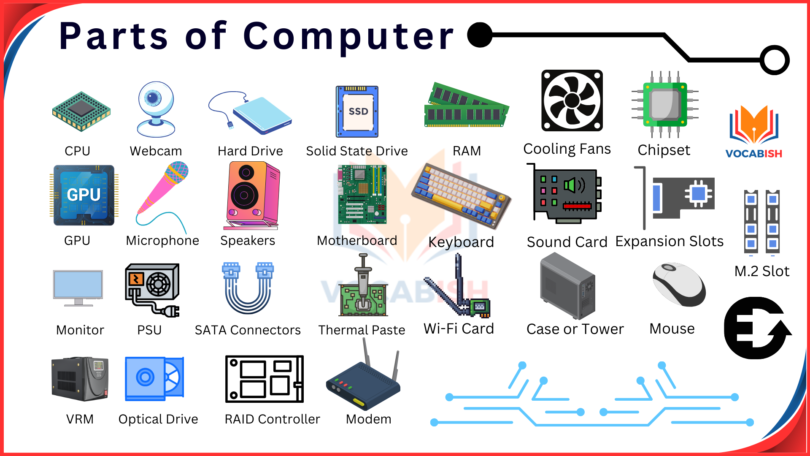
In this lesson, you will learn the most common parts of a computer in English with simple meanings and real-life example sentences. The words are easy enough for kids and beginners. You can also use this list for school projects, speaking practice, vocabulary notebooks, flashcards, and classroom posters.
When I design visual sheets for kids, I always use clear pictures beside each word. Students remember computer vocabulary much faster when they can see the object while reading the name.
Parts of Computer in English
Computer Part | Meaning | Example Sentence |
|---|---|---|
Monitor | The screen that shows pictures and text | I watch videos on the monitor. |
Keyboard | A board with letters and numbers | She types her homework on the keyboard. |
Mouse | A small device used to click and move | My mouse is not working today. |
CPU | The main part that controls the computer | The CPU is under the desk. |
Speaker | A device that plays sound | The speakers are very loud. |
Printer | A machine that prints papers | I printed my worksheet yesterday. |
Webcam | A small camera for video calls | We use the webcam for online class. |
Microphone | A device used to record sound | Please speak into the microphone. |
Headphones | Devices worn on ears to hear sound | He listens to music with headphones. |
USB Drive | A small storage device | Save the file on the USB drive. |
Scanner | A machine that copies pictures or papers | The scanner copied my photo. |
Touchpad | A flat area used instead of a mouse | I move the cursor with the touchpad. |
Laptop | A portable computer | My laptop is light and fast. |
Power Button | The button that turns on the computer | Press the power button carefully. |
Screen | The display area of a computer | The screen is very bright. |
Hard Drive | A part that stores files and programs | My hard drive is full. |
Motherboard | The main board inside a computer | The motherboard connects all parts. |
Fan | A part that keeps the computer cool | The fan makes a soft noise. |
Router | A device that gives internet connection | The router is near the wall. |
Cable | A wire that connects devices | Connect the cable to the monitor. |
Main Parts of a Desktop Computer
These are the parts most students see first.
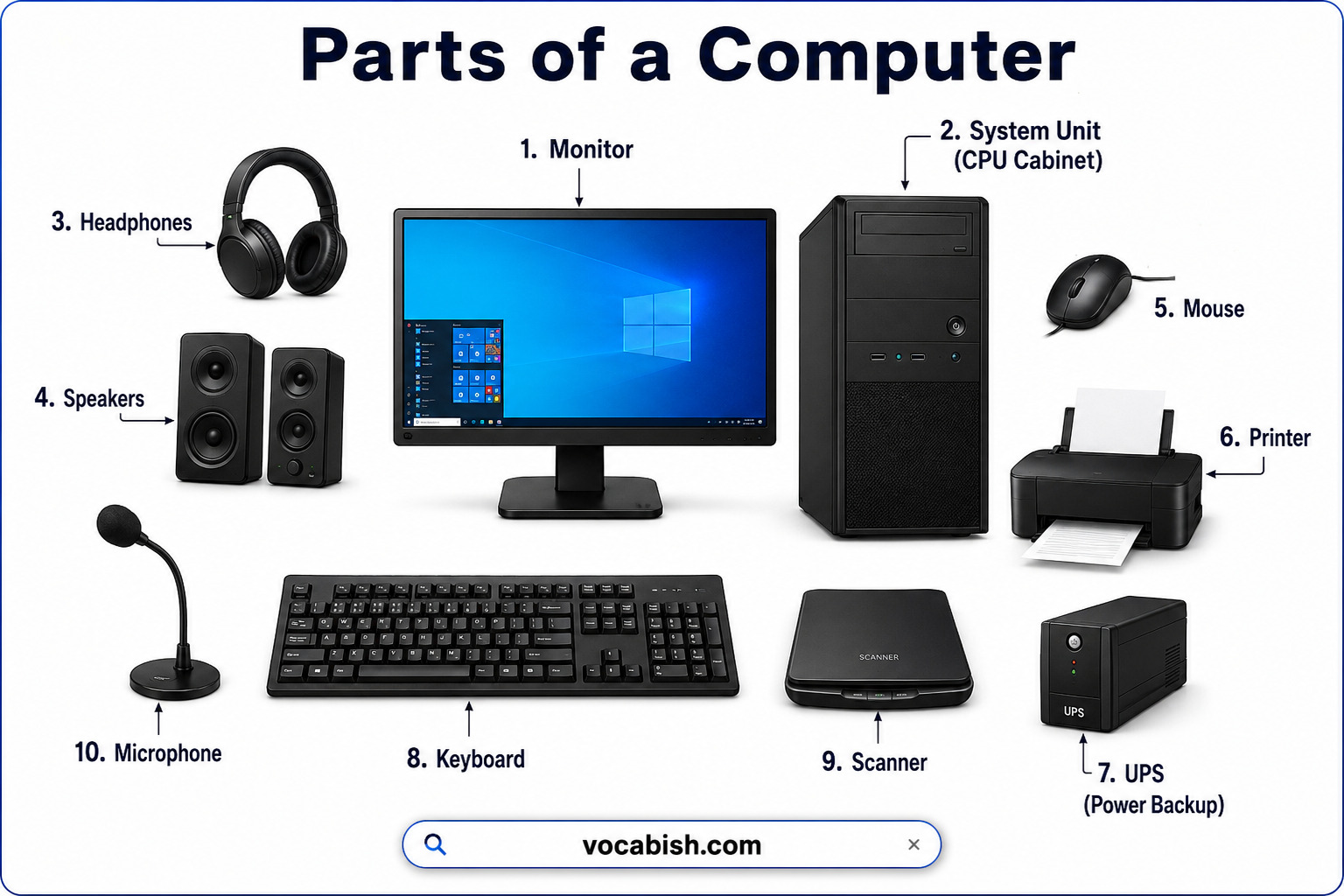
1. Monitor
Picture idea: A computer screen on a desk.
- Meaning: The monitor shows text, videos, and pictures.
- Example: The teacher showed a lesson on the monitor.
2. Keyboard
Picture idea: A keyboard with letters and numbers.
- Meaning: You use it to type.
- Example: I cleaned my keyboard this morning.
3. Mouse
Picture idea: A small mouse beside a computer.
- Meaning: You click and move the pointer with it.
- Example: Click the icon with your mouse.
4. CPU
Picture idea: A computer tower under a desk.
- Meaning: The CPU controls the computer system.
- Example: The CPU became hot after many hours.
In my years of teaching, I’ve noticed that children often confuse the monitor and CPU. Simple labeled pictures help them remember the difference very quickly.
Input Devices
Input devices send information to the computer.
Device | What It Does |
|---|---|
Keyboard | Types letters and numbers |
Mouse | Moves and clicks |
Microphone | Records voice |
Webcam | Sends video |
Scanner | Copies images or papers |
Example Sentences
- The microphone recorded my voice clearly.
- She scanned her drawing with the scanner.
- We used the webcam during the meeting.
Output Devices
Output devices show or play information from the computer.
Device | What It Does |
|---|---|
Monitor | Shows images and text |
Speaker | Plays sound |
Printer | Prints documents |
Headphones | Lets one person hear sound |
Example Sentences
- The printer printed ten pages.
- I heard music from the speakers.
- Her headphones are blue.
Storage Devices
Storage devices keep files, photos, and videos safe.
Device | Simple Meaning |
|---|---|
Hard Drive | Stores computer data |
USB Drive | Small portable storage |
Memory Card | Stores photos and files |
Example Sentences:
- I saved my project on a USB drive.
- The hard drive stores many games.
- My camera uses a memory card.
Internal Computer Parts
These parts are inside the computer.
Motherboard
- Meaning: The main board that connects all computer parts.
- Example: The motherboard connects the CPU and memory.
Fan
- Meaning: Keeps the computer cool.
- Example: The fan spins very fast.
Hard Drive
- Meaning: Stores programs and files.
- Example: My hard drive has many videos.
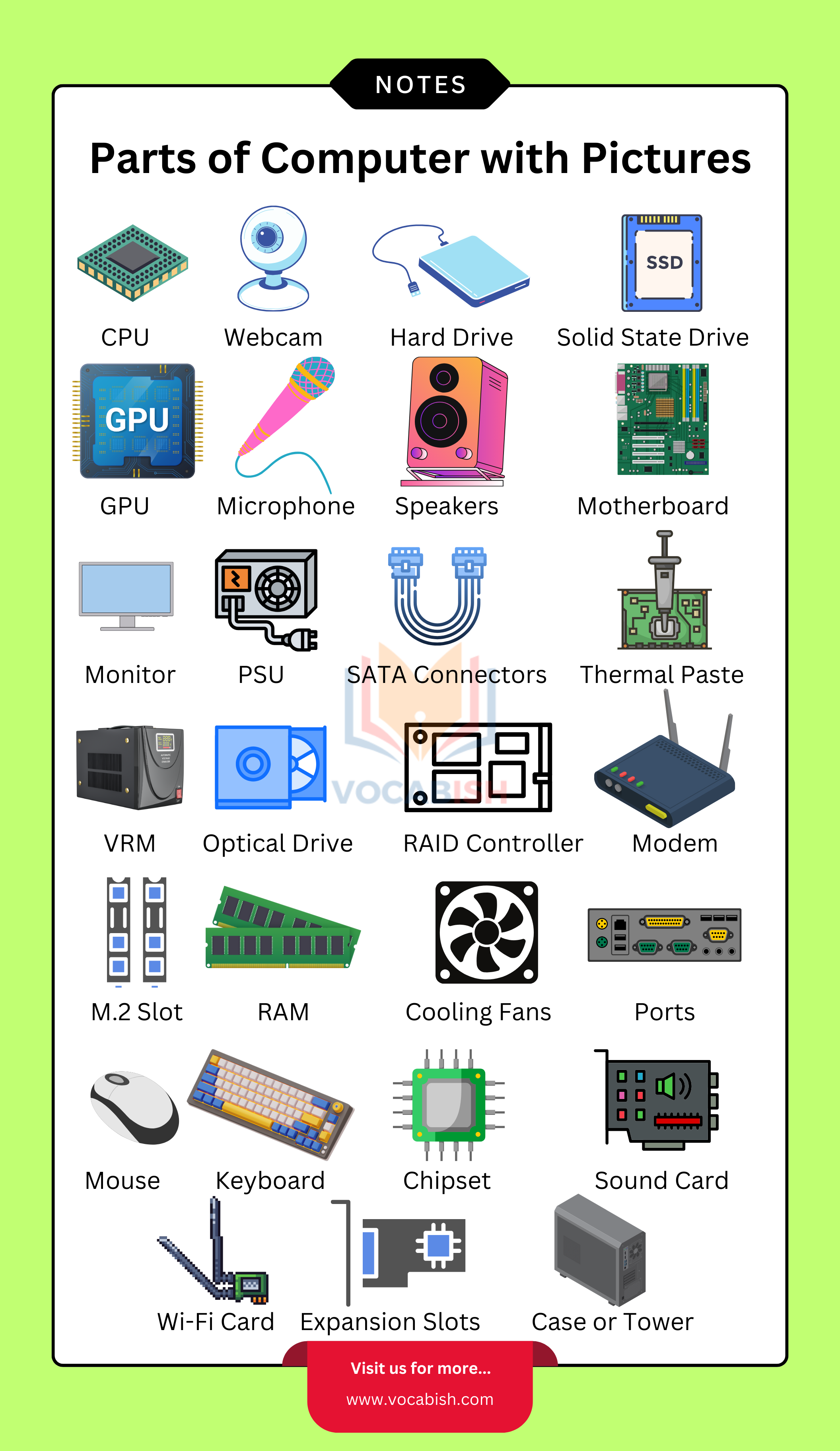
Parts of Computer Image
Practice Sentences for Learners
Try reading these sentences aloud:
- The mouse is beside the keyboard.
- I use headphones at school.
- The printer is out of paper.
- My laptop is in my bag.
- The webcam is above the screen.
- Save the file on the USB drive.
- The speakers play music loudly.
Parts of Computer in English for Kids
Here are the easiest words for young learners:
- Mouse
- Screen
- Keyboard
- Laptop
- Speaker
- Printer
Teachers often start with these because children see them every day.
When I create vocabulary PDFs for language learners, I keep one picture and one short sentence for each word. Young students learn faster when lessons stay clean and simple.
FAQs
The main parts of a computer are the monitor, keyboard, mouse, and Central Processing Unit (CPU).
A mouse is a small device used to click, select, and move items on the screen.
The monitor shows pictures and text. The CPU controls the computer system.
Kids use computers at school and home. Learning these words helps them understand lessons and technology better.
A laptop is a complete portable computer, not just one part.
Input devices send information to the computer. Output devices show or play information from the computer.
Random Access Memory (RAM) is temporary memory that stores data while the computer is running. It helps programs open faster and improves performance.
Related Articles: