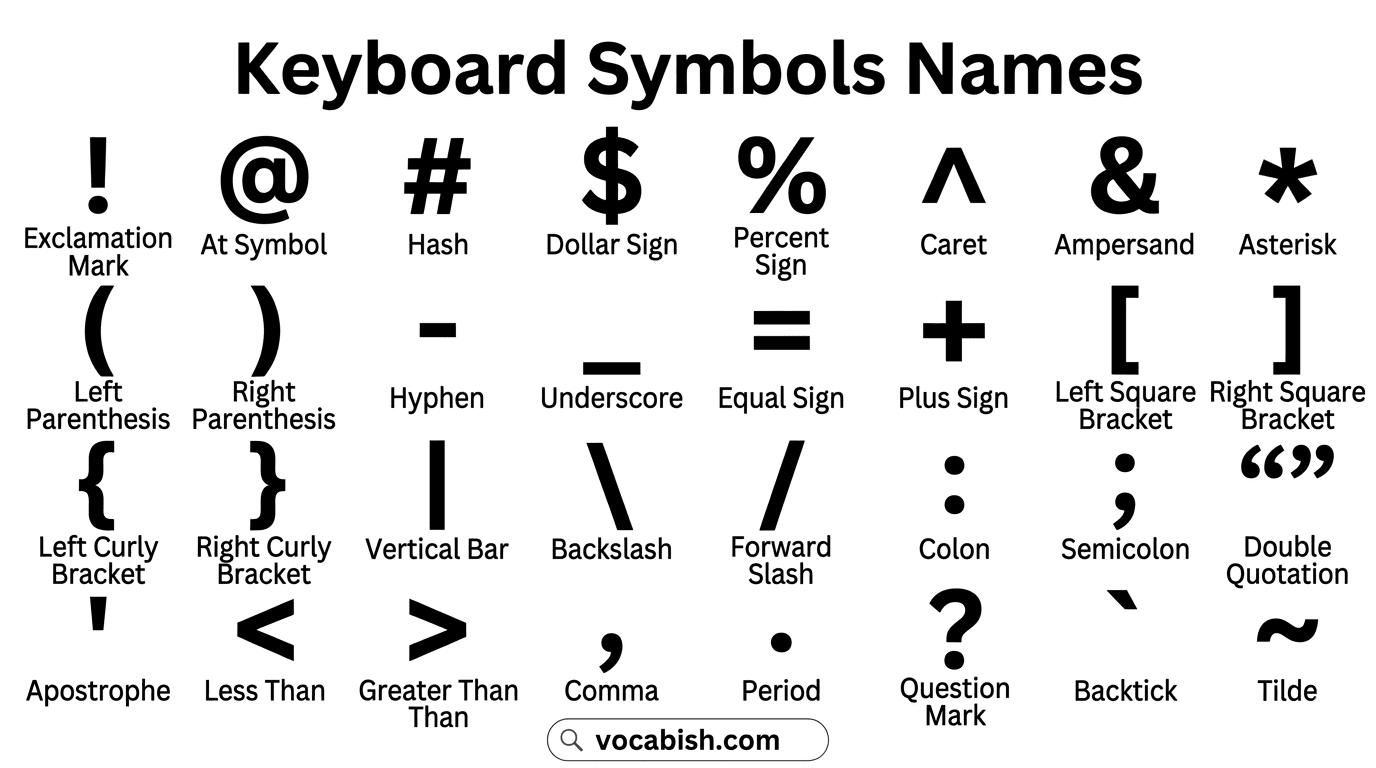

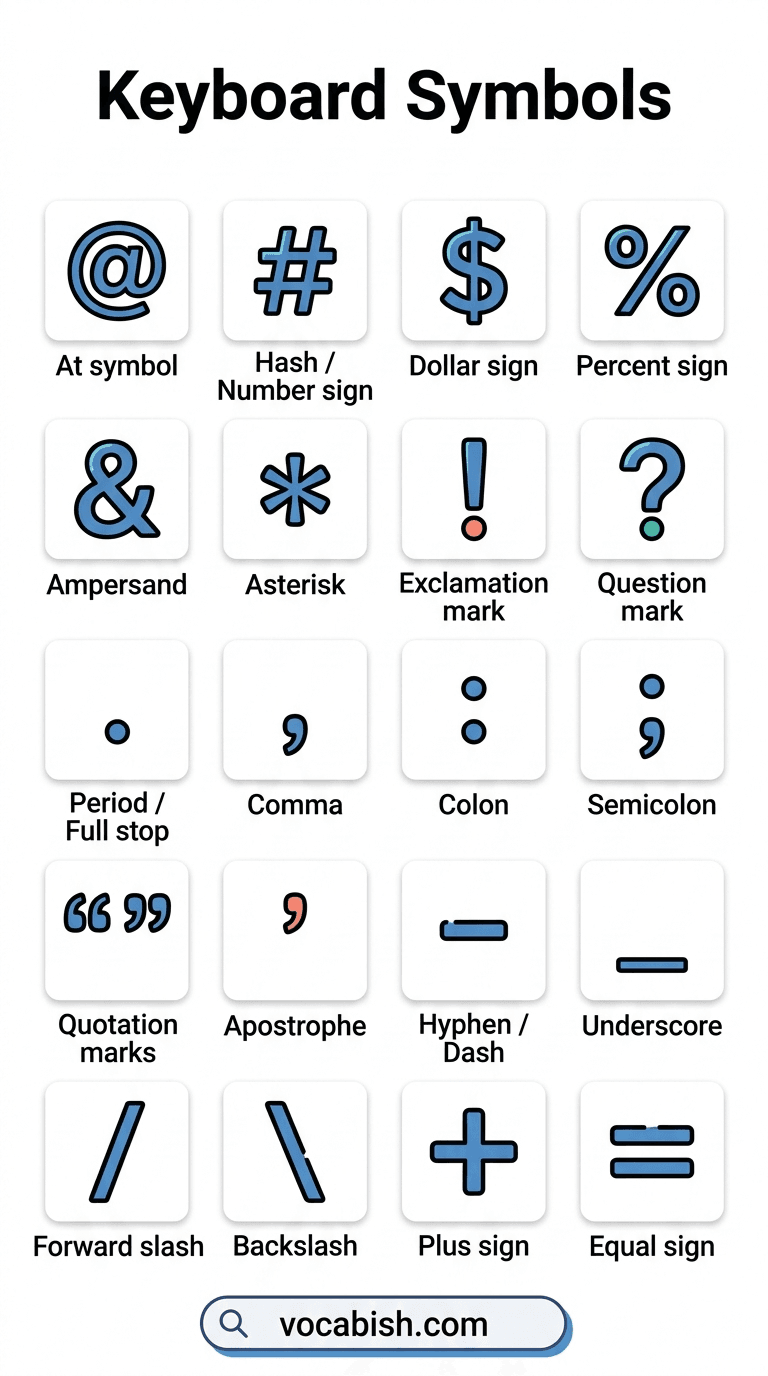
You probably use keyboard symbols every day without giving them much thought, yet each one has a specific name and purpose. From the @ symbol in email addresses to the # symbol in hashtags and the & symbol in writing, these characters help us communicate more clearly across different situations. In this article, you’ll explore keyboard symbols names in English with their pictures, making it easier to recognize them, remember their names, and use them confidently in everyday typing and digital communication.
Names of the Keyboard Symbols (Full List)
Most people use a keyboard every day to type letters and numbers, but it offers much more than that. Along with the alphabet (A–Z) and digits (0–9), you’ll also find a wide range of symbols that serve different purposes in writing, mathematics, programming, and everyday communication. Below is a complete list of these keyboard symbols along with their names.
Symbol | Name | Symbol | Name |
|---|---|---|---|
! | Exclamation Mark | @ | At Symbol |
# | Hash / Number Sign | $ | Dollar Sign |
% | Percent Sign | ^ | Caret |
& | Ampersand | * | Asterisk |
( | Left Parenthesis | ) | Right Parenthesis |
– | Hyphen / Minus Sign | _ | Underscore |
= | Equal Sign | + | Plus Sign |
[ | Left Square Bracket | ] | Right Square Bracket |
{ | Left Curly Bracket | } | Right Curly Bracket |
| | Vertical Bar / Pipe | \ | Backslash |
/ | Forward Slash | : | Colon |
; | Semicolon | “ | Double Quotation Mark |
‘ | Apostrophe / Single Quote | < | Less Than Sign |
> | Greater Than Sign | , | Comma |
. | Period / Full Stop | ? | Question Mark |
` | Backtick / Grave Accent | ~ | Tilde |
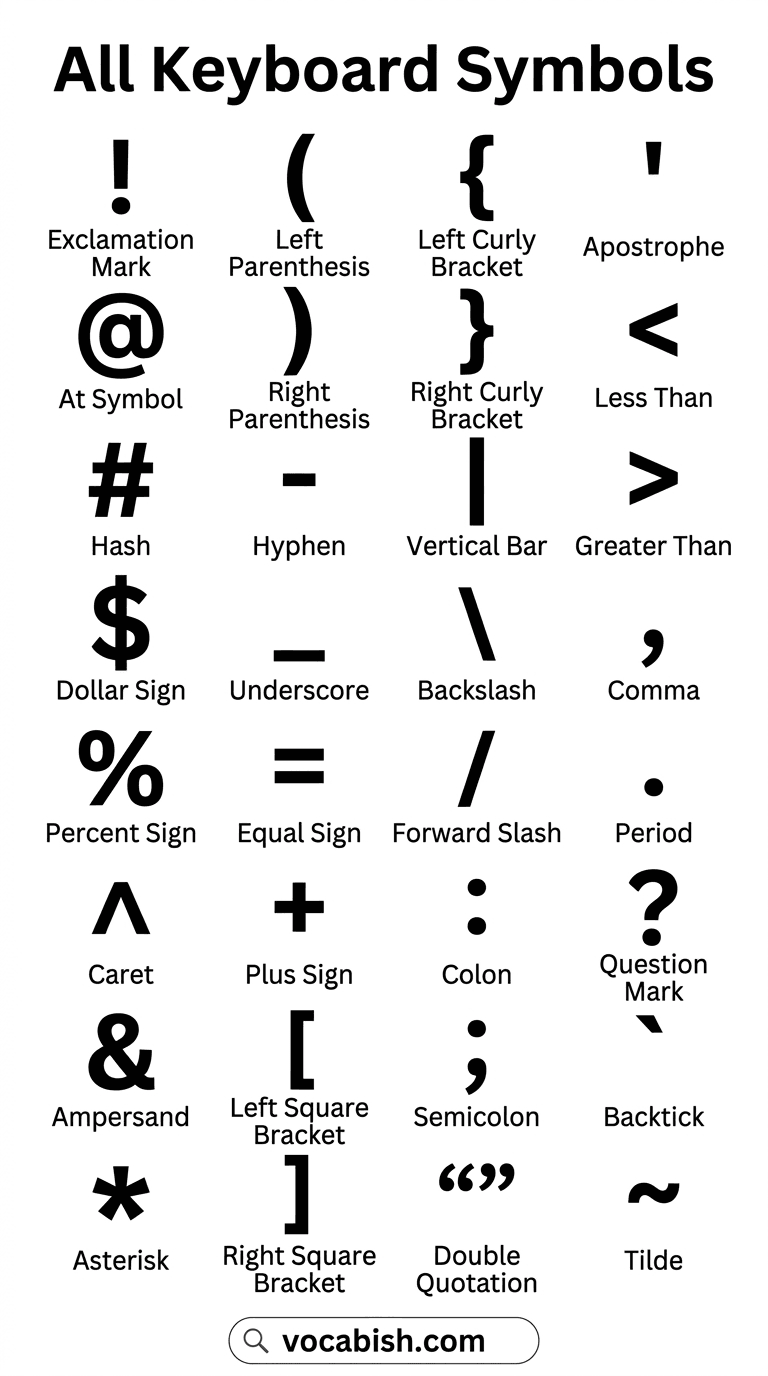
List of Important Keyboard Symbol Names and Uses
Below is a list of important keyboard symbols with their names and uses.
- @ — At symbol
Used in email addresses. Example: name@email.com - # — Hash / Number sign
Used for hashtags or numbers. Example: #EnglishLearning - $ — Dollar sign
Shows money in US currency. - % — Percent sign
Shows percentage. Example: 50% - & — Ampersand
Means “and.” Example: Tom & Jerry - * — Asterisk / Star
Used for notes, passwords, or corrections. - ! — Exclamation mark
Shows strong feeling or surprise. - ? — Question mark
Used at the end of a question. - . — Period / Full stop
Ends a sentence. - , — Comma
Separates parts of a sentence. - : — Colon
Introduces a list or explanation. - ; — Semicolon
Connects related sentences. - ” ” — Quotation marks
Show someone’s exact words. - ‘ — Apostrophe
Shows possession or contractions. - – — Hyphen / Dash
Connects words. - _ — Underscore
Often used in usernames or file names. - / — Forward slash
Used in web addresses and dates. - \ — Backslash
Used in computer file paths. - + — Plus sign
Used in addition. - = — Equal sign
Shows equality in math.
Punctuation Symbols on the Keyboard
Some keyboard symbols help organize sentences. These are called punctuation marks.
- Period (.)
- Comma (,)
- Question mark (?)
- Exclamation mark (!)
- Apostrophe (‘)
- Quotation marks (” “)
- Colon (:)
- Semicolon (;)
These symbols help readers understand pause, emotion, and sentence meaning.
Mathematical Symbols Found on Keyboards
Keyboards also include symbols used in basic mathematics.
- + (Plus) – adds numbers
- – (Minus) – subtracts numbers
- * (Multiply / Asterisk) – multiplies numbers
- / (Divide / Slash) – divides numbers
- = (Equal) – shows two values are the same
- % (Percent) – shows a part of one hundred
Students often use these symbols in school assignments and calculators.
Other Useful Keyboard Signs
Some symbols mainly appear in technology, programming, or online communication.
- @ in email addresses
- # in social media hashtags
- _ in usernames
- / in website links
- * for password protection
Learning these signs makes digital communication easier.
Tips to Remember Keyboard Symbols
Learning symbols becomes easier with practice.
Try these simple tips:
- Look at your keyboard and say the symbol names aloud.
- Write short sentences using different symbols.
- Practice typing emails and messages.
- Read online articles or chat messages to see symbols in use.
Regular practice helps learners recognize symbols quickly.
FAQs about Keyboard Symbols
Common symbol names on a computer keyboard include at symbol (@), hash (#), dollar sign ($), percent (%), ampersand (&), asterisk (*), underscore (_), slash (/), and question mark (?).
The @ symbol is called the “at symbol.” It is mostly used in email addresses to connect the username with the domain name, such as in example@email.com.
A slash (/) leans forward and is used in web addresses or dates. A backslash () leans backward and often appears in computer file paths.
Common punctuation keyboard symbols include the period (.), comma (,), question mark (?), exclamation mark (!), apostrophe (‘), quotation marks (” “), colon (:), and semicolon (;).
The degree symbol (°) shows temperature or angles. On Windows, press Alt + 0176 on the numeric keypad. On many laptops, you can also type Shift + Option + 8 on Mac keyboards.
The degree symbol (°) represents temperature or angles in writing. For example, people write 30°C for temperature or 90° when talking about angles in mathematics.
The backlit keyboard symbol on an ASUS laptop usually looks like a keyboard with light rays or glowing lines. This symbol shows the key that turns the keyboard light on or off.
Related Articles:
- Shapes in English with Their Pictures
- List of 100+ Tools Names in English
- 22 School Supplies Name in English
Conclusion
Keyboard symbols are an important part of modern English communication. People use them in emails, social media, schoolwork, and online forms every day.
When English learners understand keyboard symbols names and meanings, they can read instructions better, write messages clearly, and use digital tools with confidence.
Start by learning the most common symbols, practice typing them, and soon they will become a natural part of your English vocabulary.